

Math-Aids.Com
Ad Blocking Software Message
If you are seeing this message something is blocking ads from being shown on this page.
We keep the site free for our users by the revenue we earn from the advertisements shown on the site.
You may not be running any ad blocking software on your computer,
but your school or district may be filtering or blocking the ads at the network level.

We will run through the following steps to diagnose the problem.
- Let's Check to See If You Are Seeing Ads.
- If You Don't See Ads, Check Your Computer for Any Ad Blocking Software.
- Check With Your School's or District's IT Department and Ask Them to Unblock Math-Aids.Com.
- I Can't Get My District or School to Unblock Your Site.
- I See the Ads But I Also See the Message.
1) Let's Check to See If You Are Seeing Ads.
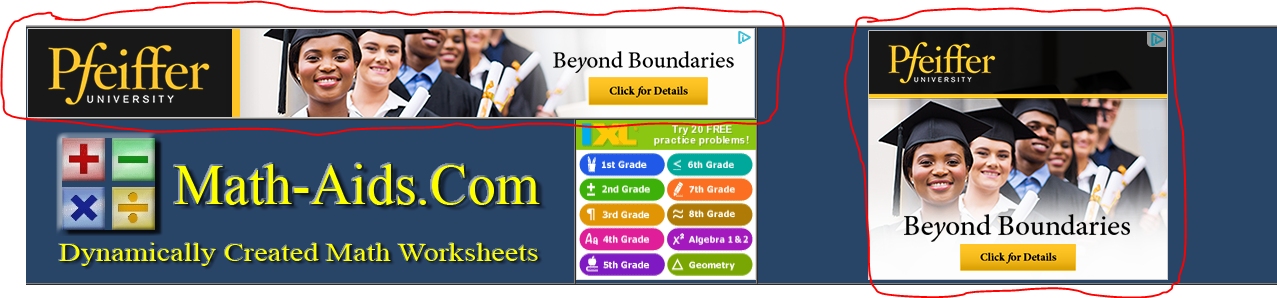
Look at top of this page and you should see two ads in the ad slots like circled below.
If you do not see something in these two slots and you only see a blue background,
then your computer or your network is blocking the ads, and that is why you are getting the ad blocking message.
2) If You Don't See Ads, Check Your Computer for Any Ad Blocking Software.
| Check out your computer and make sure that you are not running any ad blocking software such as: | |
|
|
If your computer does not have any ad blocking software on it
then your school or school district is probably blocking ads with a filter.
3) Check With Your Computer IT Department and Ask Them to NOT Block the Ads on Math-Aids.Com
Call your IT department and ask that they not block ads for Math-Aids.Com.
Ask them to allow these two files to run on math-aids.com:
- https://pagead2.googlesyndication.com/pagead/js/adsbygoogle.js
- https://ads.rubiconproject.com/ad/12198.js
We hope that your district or school will allow our site to show ads so you can use the site without any problems.
We are happy to talk to the IT department and assist them in any way.
Please have the IT department to Email Us for support.
4) I Can't Get My District or School to Unblock Your Site
If your school or district will not allow ads to be viewed on your networked computer,
You will need to purchase a membership into the ad free member's area for $19.95 a year.
 |
5) I See the Ads But I Also See the Message.
In very rare cases you do see the ads but still see the turn off your ad blocking message.
If you are using Google Chrome Browser we have found that under some conditions
the browser will give you a false positive.
Please do the following on your Google Chrome Browser to clear this condition:
Click on the Control Icon:
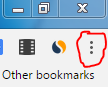
Under the Menu Select the Settings Item
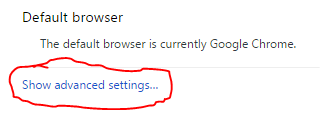
At the bottom of the page Click on the Show advanced settings...
Scroll down to the bottom of the page and look for the Reset settings and click on the Reset settings button.
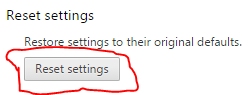
This will bring up the Reset settings dialog box, click on the Reset button.
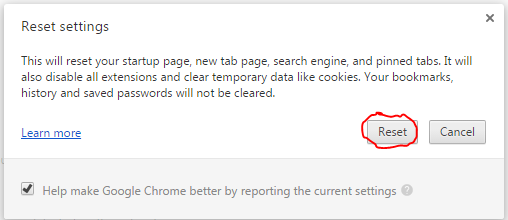
Close the Setting tab and reload your Google Chrome browser.
This may clear the false positive.
If you are not using the Google Chrome browser or if the reset above did not fix the problem.
Then please Email Us and send us the following information:
- A Screen Shot of the Message with an Ad in View
- Your Name:
- Browser you are using: (IE, Chrome, FireFox, Microsoft Edge, Opera, Safari, etc.)
- Version Number of Browser:
- Operating System you are using: (Windows 7, Windows 8, Windows 10, Mac, etc.)
- Is your computer on a network: (Yes or No)
- If networked the contact information for the IT personnel of the network:
We will work to resolve this problem quickly.
Thanks for your help and understanding on this issue.